A simple way to connect genuine buyers to Kidfactory
Step 1 — Register
Start by creating your referralkidfactory account. Fill in your basic details carefully and submit the registration form.

Step 2 — Account Review
Once you register, your account goes through a manual review by the Kidfactory team. We take a little time to check the information you have provided before approving your account.
Step 3 — Get Approved
If everything looks good and your information meets our requirements, we’ll approve your account.
Step 4 — Log in to Your Account
After approval, you can log in to your referralkidfactory account and access your referral dashboard.
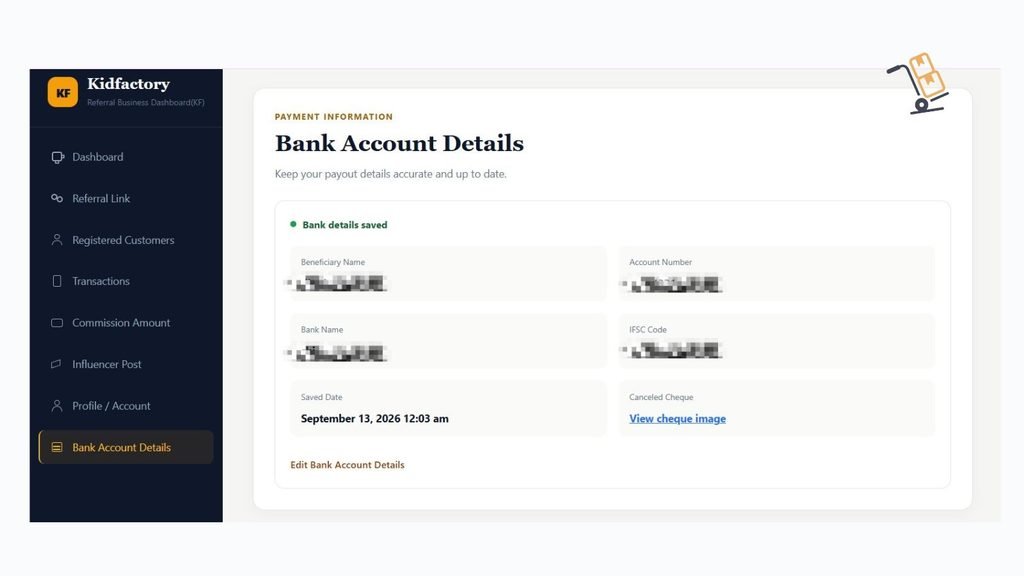
05 — Dashboard
Click on “Dashboard” from the left-hand menu. Here, you’ll see two summary cards that give you a quick overview of your referral earnings:
Remaining Balance / Due Amount — Shows the commission amount that is currently due to you.
Total Lifetime Income — Shows the total referral commission you have earned over time.
06 — Find Your Referral Link
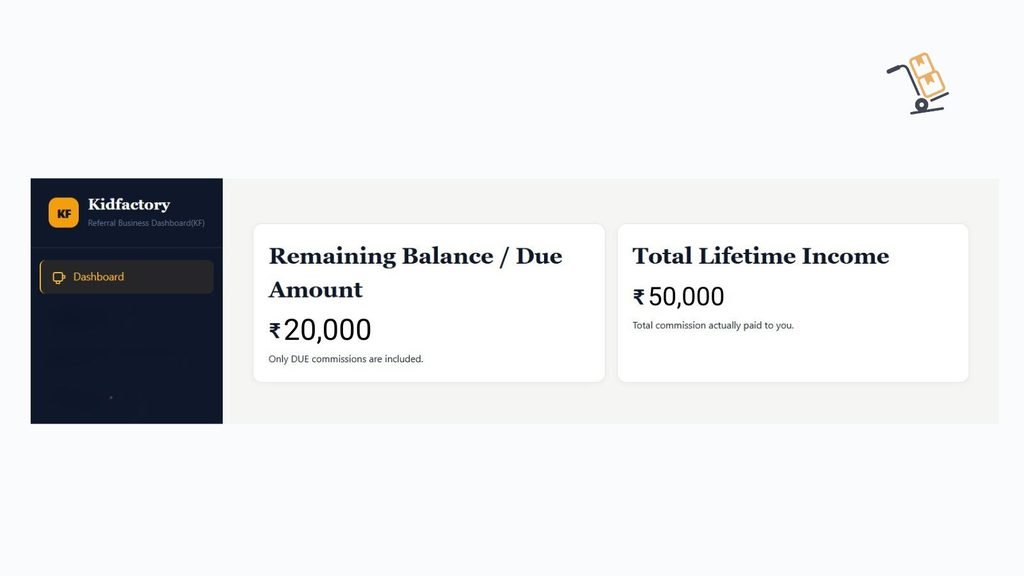
Once you enter your Referral Dashboard, you’ll see all the available options on the left-hand side.
Click on “Referral Link.”
You’ll see your “Lifetime Referral Link.” Simply copy this link and share or paste it wherever you want.
Your referral link is lifetime-valid and does not expire.
When someone registers through your link, gets approved, and purchases from Kidfactory.in, you’ll earn a referral commission as per the referralkidfactory program terms.
07 — Registered Customers
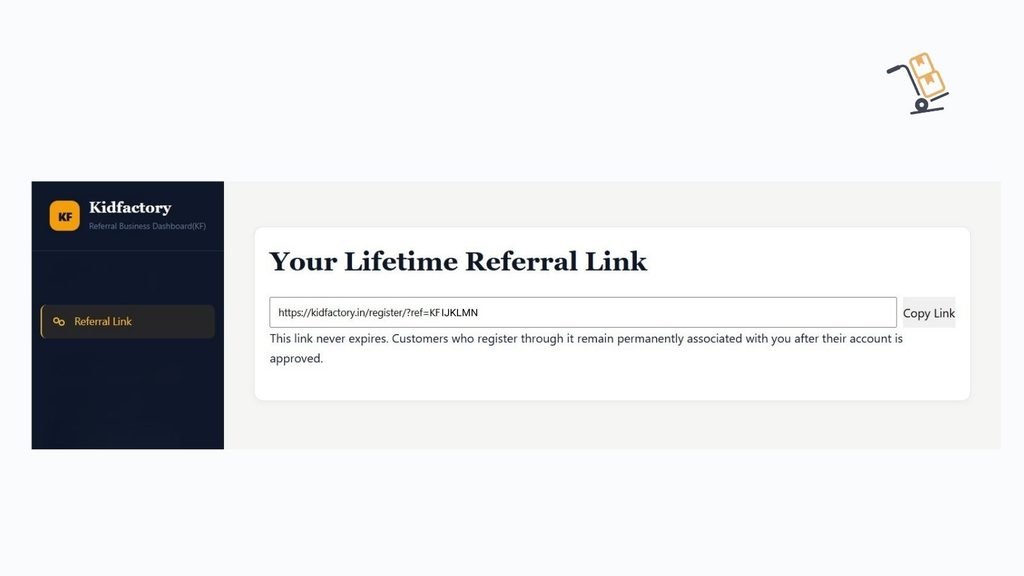
When you click on “Registered Customers”, you’ll be able to see the details of customers who have registered through your referral link.
You will see three details:
Shop Name — The name of the registered customer or business.
Registration Date — The date on which the customer registered through your referral link.
Status — The current status of the customer’s registration, such as whether the account is approved, still under review(pending), or rejected.
This makes it easy to keep track of your referred customers and their registration status.
08 — Commission Amount
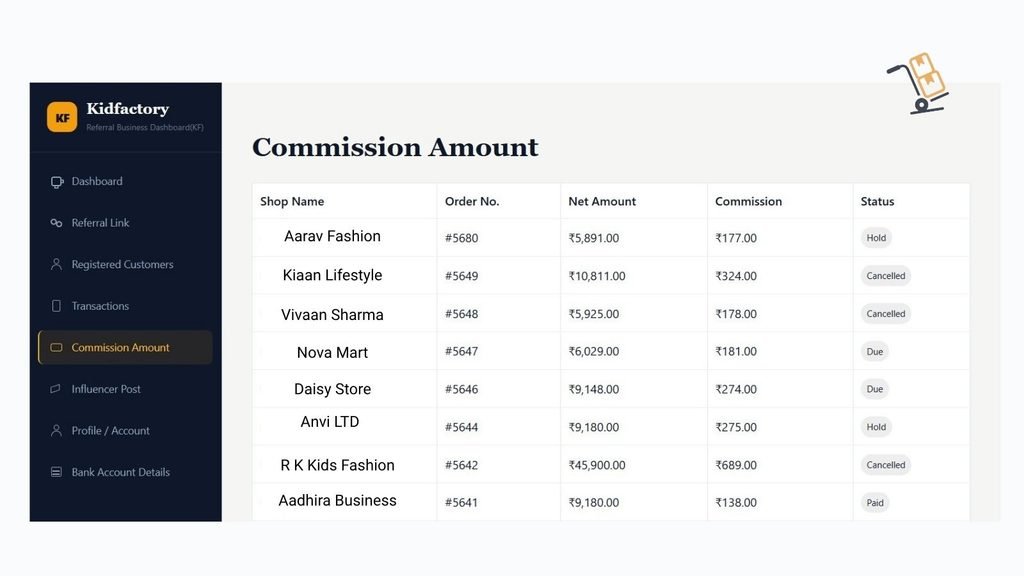
Click on “Commission Amount”. Here, you can see the commission details for your referred customers and their purchases.
You will see five details:
Shop Name — The name of the customer or business that made the purchase.
Order No. — The order number connected to the purchase.
Net Amount — The final purchase amount considered for commission calculation.
Your Commission — The commission amount you have earned from the eligible purchase.
Status — The current status of your commission.
How is the Net Amount calculated?
Here’s a simple example:
Suppose your referred customer places an order with an MRP Subtotal of ₹20,000 and receives a ₹9,000 discount.
₹20,000 − ₹9,000 = ₹11,000
GST at 5% on ₹11,000:
₹11,000 × 5% = ₹550
So the final amount becomes:
₹11,000 + ₹550 = ₹11,550
Your commission will be calculated on ₹11,550.
Important: Kidfactory.in Wallet Amount
The Wallet Amount on Kidfactory.in is a customer benefit only. It does not reduce or affect your referral commission.
For example, if the eligible purchase amount is ₹11,550 and your referred customer has ₹100 available in their Kidfactory.in wallet, the customer can use that ₹100 wallet balance.
So:
Eligible Purchase Amount: ₹11,550
Wallet Used by Customer: ₹100
Amount Paid by Customer: ₹11,450
Even though the customer pays ₹11,450 after using the wallet balance, your commission is still calculated on the full eligible purchase amount of ₹11,550.
In short: The customer’s wallet deduction does not reduce your commission. Your commission is calculated on the total eligible purchase amount.
09 — Transactions
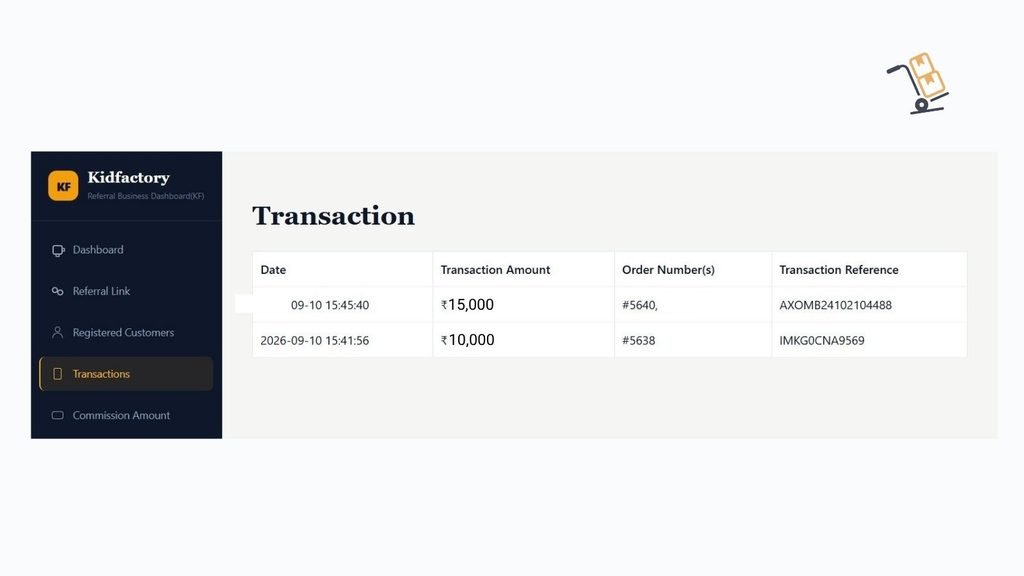
Next, click on “Transactions”. Here, you can view the transaction details related to your referrals.
You will see four details:
Date — The date of the transaction.
Transaction Amount — The amount of the transaction, basically your commission amount.
Order Number(s) — The order number associated with the purchase.
Transaction Reference — This is the bank transaction reference number for your commission payment. It serves as a record and proof that the commission amount has been paid to you by Kidfactory.
10 — Influencer Post
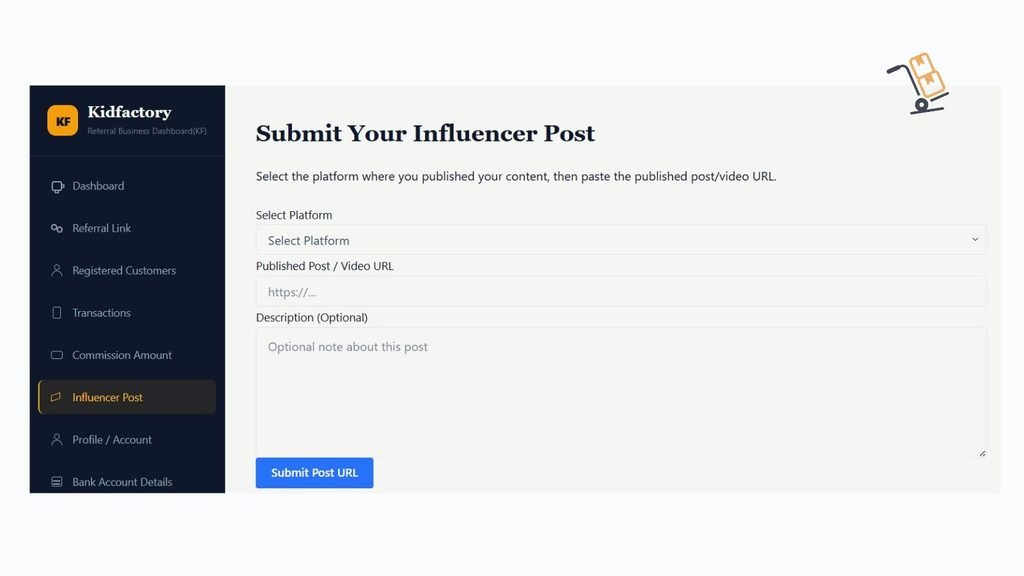
The “Influencer Post” section is where you submit the posts or content.
To submit your post:
Select the Platform — Choose where you posted, such as Facebook, Instagram, YouTube, or a blog post.
Paste Your Post Link — Copy the link to your published post and paste it in the required field.
Add a Description — You can briefly describe your post or content. This field is optional.
Submit Your Post — Once you have entered all the required details, click Submit.
My Submitted Posts
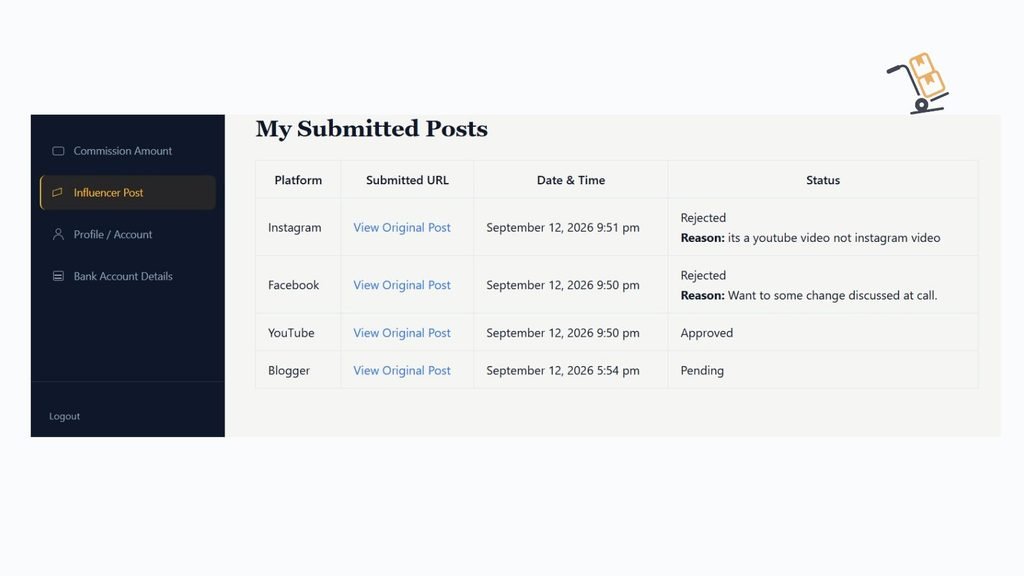
After submitting your post, scroll down to “My Submitted Posts.” Here, you can see the posts you have submitted and check their current status.
You will see four details:
Platform — The platform where you shared.
Submitted URL — The link to your published post.
Date & Time — When you submitted the URL to Referralkidfactory.in
Status — The current status of your submitted post.
Your post status may show:
Pending — Your post has been submitted and is waiting for review.
Approved — Your post has been reviewed and approved.
Rejected — Your post or video was not approved because it does not meet our referral program requirements. You can see the reason for rejection in your account.
If the post or video contains any incorrect information or needs to be changed, you must edit or correct it and submit the updated post/video again.
If you have any questions about the rejection or need clarification, you can discuss it with our team over a call.
Important
You must submit the URL of your post through the “Influencer Post” section. If you do not submit your post URL, you will not receive commission, even if a customer registers and makes a purchase through your referral link.
So, whenever you share your Referral Kidfactory link in a post, remember to submit that post URL in your dashboard.
11 — Bank Account Details
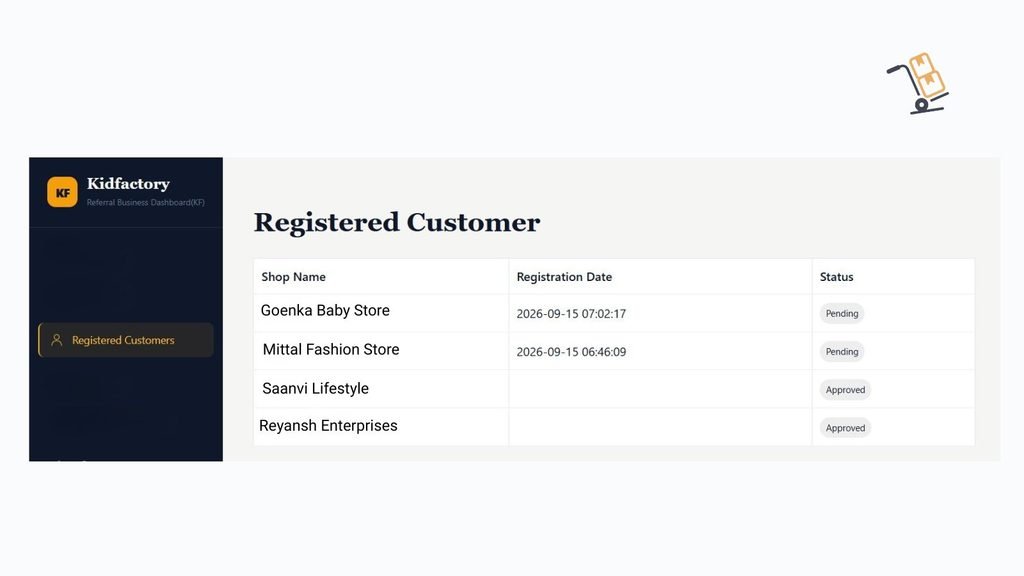
The final step is to complete your Bank Account Details so we can process your eligible referral commission.
Please enter your correct bank account information and upload a clear photo of your cancelled cheque.
Make sure the details you provide are accurate and match the information shown on your cancelled cheque. This helps us verify your bank details and avoid delays when processing your commission payments.
Important: Bank account details must be completed correctly before your commission can be processed.